
Microsoft Power Automate
Microsoft's low-code workflow automation and RPA tool in the Power Platform
Microsoft Power Automate automates workflows across Microsoft 365 and other apps with cloud flows and RPA bots.
Overview
Microsoft Power Automate review
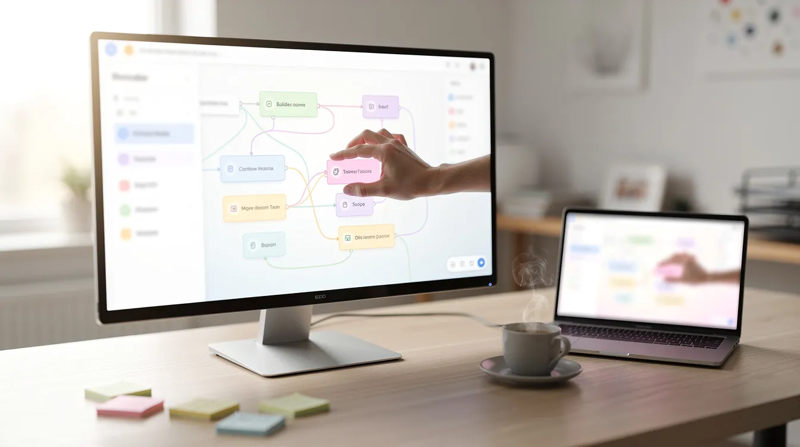
This Power Automate review covers what Microsoft Power Automate is used for, its key features, pricing and licensing, cloud flows versus desktop flows, where it shines and falls short, and how it compares with other automation tools. Power Automate is part of Microsoft Power Platform, next to Power Apps, Power BI and Copilot Studio. It started in 2016 as Microsoft Flow and was renamed Power Automate in 2019. You create automated workflows in a browser designer without coding, or describe them to the built-in AI Copilot, and they run as services in Microsoft's cloud. For tasks inside Windows applications that have no API, desktop flows add robotic process automation (RPA) on your own PC or on a Microsoft-hosted machine.
What is Microsoft Power Automate used for?
Power Automate is used to automate tasks, repetitive tasks and whole business processes, mostly inside organizations that already run on Microsoft 365, to improve efficiency and cut manual effort. Common use cases are approvals in Microsoft Teams, saving email attachments to SharePoint or OneDrive, posting notifications when a list item changes, copying form responses into Excel, syncing records between Dynamics 365 CRM and other services, and building scheduled reports for Power BI. Desktop flows handle work that only exists in a user interface: entering invoice data into an old ERP screen, extracting data from websites, filling in terminal and mainframe applications, or organizing files and folders.
Business users create workflows for their own team themselves. IT teams and developers take over the larger ones, add error handling and put them under governance. Because the same licenses cover Power Apps flows and Dataverse data, many organizations use Power Automate as the logic layer behind their Power Apps.
Key features
- Cloud flows: automated, instant and scheduled flows triggered by an event, a button or a schedule, with conditions, loops and approvals. More than 1,000 connectors cover Microsoft 365, Dynamics 365, Salesforce, SAP and hundreds of other services.
- Desktop flows (RPA): Power Automate for desktop records and replays actions in Windows and web apps, with 400+ prebuilt actions, exception handling and support for SAP, Citrix, Java apps and terminal emulators (Microsoft Learn).
- Attended and unattended bots: attended bots run while a user is signed in; unattended bots run on a server or a Microsoft-hosted virtual machine without anyone at the keyboard.
- Process mining capabilities: analyze event logs and task recordings to get insights into where a business process slows down before you automate it.
- AI and Copilot: describe a flow in natural language and let AI create the first version; AI Builder adds AI capabilities such as document processing and text analysis.
- Templates: ready-made flows for common tasks, from saving Outlook attachments to Teams approvals.
- Security and governance: environments, role-based access, data loss prevention policies and admin analytics for IT, so the organization can scale automation with control.
Microsoft Power Automate pricing
Power Automate is priced per user or per bot, billed yearly. The plans below come from the Power Automate pricing page as of September 2026.
- Free trial: 30 days of cloud flows with standard connectors.
- Power Automate Premium: $15 per user per month. Cloud flows with premium connectors, attended desktop flows, process and task mining, and Dataverse storage.
- Power Automate Process: $150 per bot per month. One unattended bot, or one cloud flow licensed for the whole organization.
- Power Automate Hosted Process: $215 per bot per month. The same as Process, plus a Microsoft-hosted virtual machine to run the bot.
- Process Mining add-on: $5,000 per tenant per month, on top of Premium, with 100 GB of mining data storage.
What is free: most Microsoft 365 business and enterprise licenses already include Power Automate cloud flows with standard connectors, such as SharePoint, Outlook, Teams and Excel (Microsoft Learn licensing). Power Automate for desktop is also free to install on Windows 10 and 11 for local, attended automation.
The cost surprise to check is premium connectors. A flow that touches Salesforce, SQL Server, an HTTP request or a custom connector needs a Premium license for every user who runs it, and Microsoft 365 E5 does not include them. Unattended RPA needs a Process or Hosted Process license per bot. Map your connectors and bots before you estimate the cost for the whole organization, and contact Microsoft or a partner for enterprise pricing on large volumes.
Use cases: cloud flows vs desktop flows for business processes
Cloud flows run in Microsoft's cloud and connect services through APIs. They are the right choice whenever the apps involved have connectors: they are faster, easier to maintain and do not depend on a screen layout. Desktop flows automate the user interface of Windows and web apps, the way a person would click and type. Use them for legacy applications, internal tools and websites without an API.
The two work together, and that combination is one of Power Automate's main capabilities. A cloud flow can call a desktop flow, pass it data and continue when the bot is done, which is how most end-to-end automation is built. That link needs a work or school account with a premium license. The free desktop version, signed in with a Microsoft account, can author and run flows locally but cannot be triggered from cloud flows, share flows or run unattended. Windows Home editions can build desktop flows, but not run them from the cloud.
Power Automate desktop: free on Windows
Power Automate for desktop is included with Windows 11 and can be installed on Windows 10 from the Microsoft Store or with the MSI installer (install guide). With a free Microsoft account you get the recorder, the drag-and-drop designer, 400+ actions and browser automation in Microsoft Edge, Chrome and Firefox, with flows stored in OneDrive. It runs on Windows 10, Windows 11 and Windows Server; ARM devices are not supported. It is a practical way to learn RPA, create desktop flows and automate personal tasks before a team pays for a Premium plan. You can uninstall it like any other Windows app if you do not need it.
Where Microsoft Power Automate shines — and where it falls short
Strengths:
- Deep integration with Microsoft 365, Teams, SharePoint, Dataverse, Dynamics 365 and Power BI.
- Cloud flows and RPA in one platform, so API and user-interface automation can share one process.
- Standard connectors are often already paid for in Microsoft 365.
- Enterprise governance, environments and data loss prevention for IT.
Trade-offs:
- Licensing is complex: premium connectors, per-user and per-bot plans, and add-ons.
- The designer gets hard to manage for large flows; error handling and debugging take practice.
- Outside the Microsoft ecosystem, other tools connect to more SaaS apps with less friction.
- Desktop flows break when an application's screen changes and need maintenance.
How Microsoft Power Automate compares
- Zapier: easier for connecting SaaS apps, with thousands of integrations; no RPA.
- Make: visual scenarios with more control over data mapping, at a lower price for high volumes.
- n8n: open source and self-hostable, popular with technical teams.
- UiPath and Automation Anywhere: enterprise RPA platforms with more advanced bot orchestration.
- Microsoft Power Apps: the app builder in the same Power Platform; the two are often licensed and used together.
- AppSheet: Google's no-code app builder with automation bots, the closest equivalent on Google Workspace.
Is Microsoft Power Automate worth it?
Microsoft Power Automate is worth it for organizations on Microsoft 365 that want to automate approvals, notifications and data flows between their own tools, because standard flows are usually already included. It is also a strong choice when some steps still run in legacy desktop applications, since cloud flows and RPA live in one platform. It is less of a fit for small teams whose apps are mostly outside Microsoft, where Zapier or Make are simpler, or for companies that need unattended bots at scale without paying per bot. If you want help to create workflows, clean up licensing, add AI steps or build RPA, the low-code agencies and developers on LowCodeDevs can take it on.
Sources
- Power Automate pricing: plans, prices and what each includes.
- Types of Power Automate licenses: Microsoft 365 rights, standard and premium connectors.
- Desktop flows prerequisites and account comparison: free versus premium desktop features, Windows editions.
- Install Power Automate: Microsoft Store and MSI installation.
- What is Power Automate?: cloud flows, desktop flows and process mining.
- Microsoft Power Automate, Wikipedia: history and the rename from Microsoft Flow.
- Power Automate alternatives, Gumloop: alternatives to compare (written by a competitor).
No reviews yet — write the first one.
At a glance
- Website
- https://www.microsoft.com/de-de/power-platform/products/power-automate
- Category
- Automation · Workflow automation
- Updated
Microsoft Power Automate alternatives
 Zapier
 ActiveCampaign
 Make
Make Appian
 AutomationAnywhere
 Axiom
AxiomQuestions
Microsoft Power Automate FAQ
Is Microsoft Power Automate free?
Partly. Most Microsoft 365 business licenses include cloud flows with standard connectors, and Power Automate for desktop is free on Windows 10 and 11 for local automation. Premium connectors, cloud-triggered desktop flows and unattended bots need a paid plan.
How much does Power Automate cost?
Power Automate Premium costs $15 per user per month billed yearly. Unattended bots cost $150 per bot per month, or $215 with a Microsoft-hosted machine, and the Process Mining add-on is $5,000 per tenant per month.
Is Power Automate included with Office 365?
Yes, for standard connectors. Microsoft 365 licenses let users create and run cloud flows with standard connectors such as SharePoint, Outlook and Teams, but premium and custom connectors need a standalone Power Automate license.
What does Power Automate for desktop do?
It records and runs desktop flows that automate Windows and web applications through their user interface, for tasks like data entry, web data extraction and file handling in apps without an API.
Is Power Automate being phased out?
No. Microsoft keeps developing Power Automate as part of Power Platform, including Copilot features and new versions of Power Automate for desktop.
Which is better, Power Automate or Zapier?
Power Automate is better inside Microsoft 365 and for RPA on Windows. Zapier is easier for connecting SaaS apps outside the Microsoft ecosystem and has more ready-made integrations.
Is there a Google equivalent to Power Automate?
The closest is AppSheet Automation, together with Google Apps Script, for automating work in Google Workspace. Neither offers desktop RPA.
Why is Power Automate so difficult?
Simple flows are easy, but expressions, error handling, licensing rules and desktop flows that depend on screen layouts take time to learn. Most teams start with templates and grow from there.
From the blog
Guides featuring Microsoft Power Automate
Elsewhere on LowCodeDevs
Recent projects on LowCodeDevs
No Microsoft Power Automate case study has been published yet.

 WordPress
Elsewhere on LowCodeDevs
Agencies working with similar tools
No agency has listed Microsoft Power Automate yet. These teams work with other tools from the Automation category.

 Appsmith
 Webflow

Elsewhere on LowCodeDevs
Developers working with similar tools
No developer has listed Microsoft Power Automate as a skill yet. These developers work with other tools from the Automation category.

 n8n
n8nYour expertise
Be the first Microsoft Power Automate expert on LowCodeDevs
Teams choosing Microsoft Power Automate land on this page looking for someone who can build with it. Nobody has taken that spot yet — list your agency or your own profile with Microsoft Power Automate among your tools, and this page shows your work.