Roel
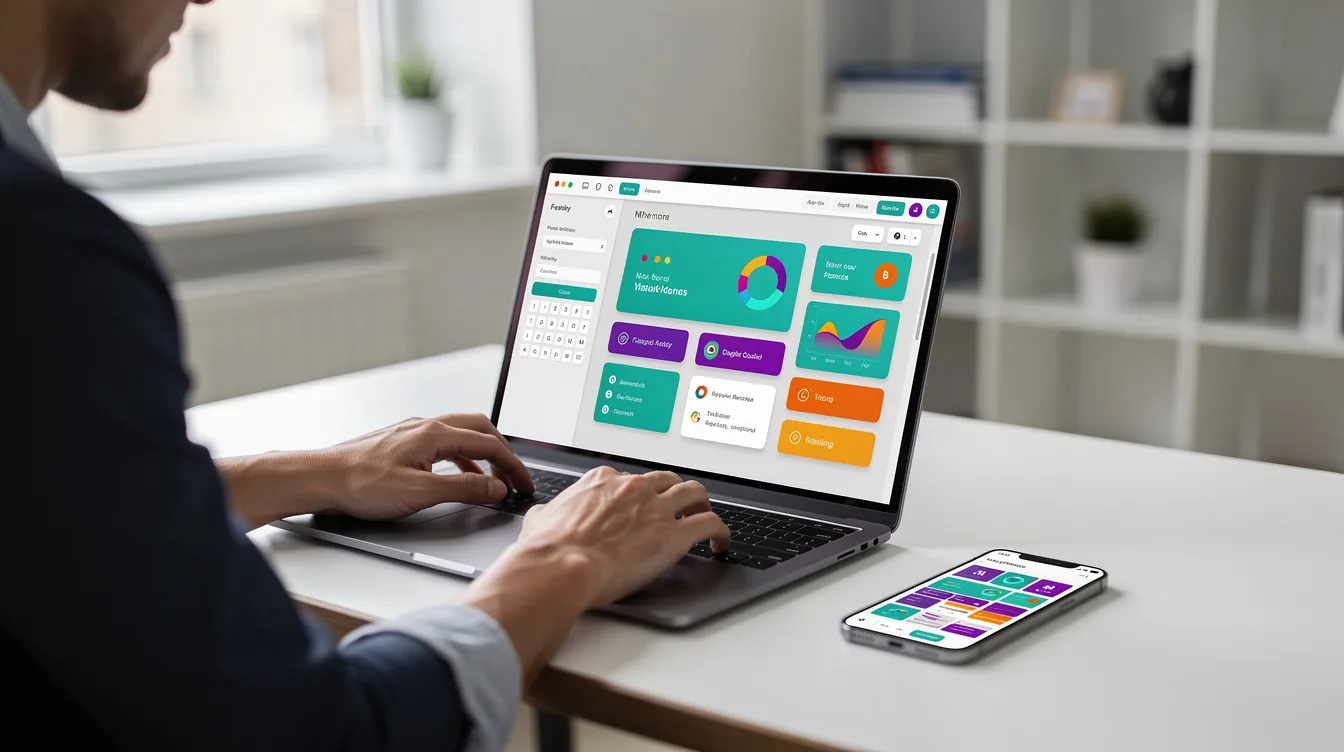
These tools are built for non-technical founders who need a working app in weeks instead of months, operations teams automating internal processes, and developers who want speed but still care about control. No-code platforms enable rapid application development and can reduce development costs compared to traditional coding, and they let business teams create applications without waiting on the IT department. That is why adoption has accelerated: according to Creatio's 2026 enterprise automation trends report, 67% of organizations were already using no-code in 2025.
There is no single best no code app builder. The right one depends on what you build (a web app, a native mobile app, an internal tool, a client portal) and how much control you need over the underlying code and data. LowCodeDevs is an independent, community-driven directory of low-code and no-code tools, agencies and developers. We don't sell a platform; we help you compare them honestly.
Quick picks covered in this guide:
- Bubble: complex web apps and SaaS
- FlutterFlow: native mobile apps with code export
- Adalo: simple native apps for founders
- Thunkable: beginners building native mobile apps
- Draftbit: React Native apps you own
- Glide: spreadsheet-driven business apps
- Softr: client portals and internal tools
- AppSheet: Google Workspace organizations
- Microsoft Power Apps: Microsoft 365 organizations
- Lovable: AI-generated full-stack web apps
- Retool: internal tools built with developers
How No Code App Builders Work
Visual interfaces replace traditional coding in no-code platforms. Instead of files, classes and terminals, you work with four layers:
- Front end (visual editor): Most no-code platforms use drag-and-drop app design. You pick components such as buttons, lists, forms and charts, and bind them to data fields. The platform handles the underlying code and the responsive layout.
- Data: Some builders include a built in database (Bubble, Adalo). Others connect to external sources such as Google Sheets, Airtable, Supabase or SQL databases via REST APIs. Where your data lives determines how much control, portability and performance you get; our comparison of no-code databases and traditional SQL goes deeper.
- Backend logic: Rules, triggers, scheduled jobs, conditional workflows and API connector calls, all configured visually. You automate repetitive tasks inside the app, and the platform takes care of deployment with automatic hosting and SSL.
- Hosting and deployment: Web hosting, progressive web apps, or compiled native builds for Apple's App Store and Google Play.
Short example: Imagine building a support ticket app. A form creates a record in your database. A workflow assigns the ticket to a team member based on category and sends an email notification. A role-based view ensures each user sees only their own tickets. No-code tools often include pre-built templates for common use cases like this, so you don't start from a blank page, and you manage updates through the same visual editor after launch.
The data structure and backend logic matter far more than the screens for a production ready app. A beautiful UI over a poorly designed database will break the moment you add real users. No-code platforms maintain the underlying code, but the architecture decisions are still yours.
No Code vs Low Code vs AI App Builders
These three labels describe different levels of control and audience:
No code app builder tools are visual only, built for non-developers. You design everything through point-and-click interfaces with no direct code editing. Platforms like Glide, Adalo and Softr fit here. They prioritize speed and simplicity but limit customization when you need it.
Low code app builder tools blend visual building with the option to write code where you need it. FlutterFlow lets you build visually but drop into Dart for custom logic. Retool connects to your own backend and APIs, and Microsoft Power Apps integrates deeply with enterprise data. These tools suit teams that include developers and need to extend beyond what visual builders offer. For a deeper comparison of low-code options, see our guide to the best low-code platforms for 2026.
AI app builder / vibe coding platforms let you describe an app in plain language, and the tool generates UI, data and app logic. Lovable syncs the generated code to GitHub so you own it. This approach is ideal for rapid iteration but carries risks: hallucinated logic, insecure defaults and unclear data models. Our explainer on how no-code and low-code are changing software development covers the bigger picture.
Rule of thumb for busy readers: If you have no developers on the team and need simple apps, pick no code. If you have developers and need to extend or export, pick low code. If you want a first version in hours and can review the output, try an AI app builder.
What You Can Build With a No Code App Creator
No-code apps serve many purposes, from CRM and e-commerce to internal tools, and rapid prototyping helps you validate a business idea before you invest in custom code. Here are the most common use cases:
- Internal tools: Dashboards, CRUD interfaces, approval workflows. Capabilities that matter most: role-based permissions, audit logs, data security.
- Client portals: Secure interfaces for external users. Need: user accounts, custom domains, branding, usage quotas.
- Data apps and dashboards: Charts, filters, scheduled reports over large datasets. Need: connectors to existing data, performance at scale.
- Lightweight SaaS and marketplaces (complex apps): Subscription billing, payments, complex data relationships. Need: APIs, code export, strong user management.
- Native mobile apps for the App Store and Google Play: Push notifications, offline support, camera, GPS, in app purchases. Need: true native builds, not web wrappers.
- AI apps and AI chat front ends: Chatbots and agent-led experiences. Need: LLM integrations, custom prompts, workflow safety.
How to Choose a No Code App Builder
- Output: Does the builder produce a web app, a progressive web app, or true native mobile apps? Compiled native (Flutter, React Native) is different from a web wrapper that looks like a mobile app but lacks device APIs and offline support.
- Backend logic depth: Can you build workflows, scheduled jobs and conditional rules? Does it include an API connector for external services? Can you add custom logic when the visual builder isn't enough?
- Data: Does it use a built in database, or does it connect to existing data in Google Sheets, Airtable, SQL or REST APIs? Where data lives determines portability and performance.
- Code export and lock-in: Full code export (FlutterFlow, Draftbit, Lovable) means you own the underlying code and can leave. Platform-hosted only (Bubble, Glide, Softr) means migrating often equals rebuilding.
- Pricing model: Is billing per editor, per user, per app, by usage units or by AI credits? Know when paid plans start and what triggers the next tier.
- Security and governance: Authentication, role-based access, environments (dev, staging, production), audit logs, SSO. No-code app builders can scale for enterprise use, but only on a platform that has these governance features.
- Community, docs and professional developers: How strong is the documentation? Are there agencies and freelance developers for the platform? An active community saves hours of troubleshooting.
The Best No Code App Creators in 2026, by Use Case
Each pick below is listed by what it is best for. Prices are the vendors' published plans checked in autumn 2026 and change often, so confirm on the vendor's pricing page before committing.
Bubble: Best for Complex Web Apps and SaaS
Bubble is a visual no code platform for complex web apps. It includes a built in database, visual workflows, an API connector and the Bubble AI agent that can scaffold pages and app logic from prompts. It is a strong fit for marketplaces, CRMs and multi-sided SaaS products.

Bubble builds web apps and native iOS and Android apps from the same project, sharing the database and backend workflows. Bubble's native mobile builder uses React Native under the hood, giving you compiled native output rather than a simple web wrapper.
Pricing: Free plan for building and testing. On the Web & mobile plans, Starter is $59 a month billed annually for a live app on a custom domain; web-only plans cost less. Usage is metered in workload units, which can become significant at scale.
Trade-offs: Bubble has a real learning curve for complex web apps. Workload-unit costs can surprise teams as traffic grows. There is no code export: if you leave Bubble, you rebuild. You can export your data, but the workflows and front end stay on the platform.
FlutterFlow: Best for Native Mobile Apps With Code Export
FlutterFlow is a low code app builder that generates real Flutter (Dart) source code for iOS, Android and web. You can download the full source code on the Basic plan and above, and the Growth plan adds GitHub integration.

Its AI features draft pages from a prompt, and the Business plan adds Figma frame import, so you can start from a description or a design and then refine visually.
Pricing: Free plan for experimentation (two projects, no code download). Basic is $39 a month (about $29.25 billed annually) with code download and one-click app store publishing. Growth is $80 a month for the first seat.
Trade-offs: More technical than pure no code. There is no built-in database, so you bring your own backend (typically Firebase or Supabase), which is a separate service and a separate bill. Custom functions are written in Dart. Best for teams that may hand off to professional developers or expect to scale beyond what a visual builder alone can handle.
Adalo: Best for Simple Native Apps for Founders
Adalo is a no code builder with a drag-and-drop canvas, a built in database and Ada, its AI assistant that can generate screens and a data model from a prompt. You publish one project as a native iOS app, an Android app and a web app, with automated App Store and Google Play publishing.

Pricing: Free plan to start. Starter is $36 a month billed annually, with one published app and one editor.
Trade-offs: Best for simple to mid-size apps. Once your app depends on complex backend logic or large data volumes, the platform gets harder to manage. No code export.
Thunkable: Best for Beginners Building Native Mobile Apps
Thunkable is a no code builder for native iOS and Android apps using drag-and-drop components and visual logic blocks. It includes AI that drafts screens and logic from a prompt, making it accessible to absolute beginners who want to build native mobile apps.

Pricing: Free plan with limited features. Accelerator is about $19 a month billed yearly. Builder is $37 a month billed yearly and removes Thunkable branding.
Trade-offs: Visual logic blocks are intuitive but can become unwieldy for complex apps. Backend logic is more limited than in Bubble or FlutterFlow.
Draftbit: Best for React Native Apps You Own
Draftbit is a visual app builder with AI agents for generating screens and logic. Every project is React Native and Expo code you can edit and export, which makes it one of the few app builders that give you a complete app in a standard, widely used framework.

Pricing: Free plan without code export or store publishing. Standard is $12 a month ($9.60 billed annually) and adds code export and one-click publishing to iOS, Android and web.
Trade-offs: The visual builder covers common patterns, but truly custom logic requires editing the exported React Native code. The community is smaller than FlutterFlow's or Bubble's.
Glide: Best for Spreadsheet-Driven Business Apps
Glide turns Google Sheets, Excel, Airtable and databases into business apps for teams. It is designed for simple branded app experiences and internal tools that live on top of data your team already manages, and it offers a library of app templates for common patterns.

Glide apps are progressive web apps. Publishing to the App Store or Google Play is not supported (per Glide's own help center), so if you need a native mobile app in the stores, Glide is not the right fit.
Pricing: Free plan for personal use. Glide Classic Explorer starts at $19 a month billed annually. The newer GlideOS plans are credit-based, starting at $25 a month.
Softr: Best for Client Portals and Internal Tools
Softr builds client portals, internal tools and business apps on top of your data: Airtable and Google Sheets with two-way sync, its own Softr Databases, and more than 15 other sources such as HubSpot, Notion and SQL databases. It suits teams that don't want to migrate their data storage.

Strengths: User accounts, permissions, custom domains, workflows and branding. Ideal for apps that give clients or partners a secure, logged-in experience.
Pricing: Free plan to get started. Basic is about $19 a month billed annually, Pro about $99 and Business about $329 a month billed annually. Since the August 2026 plan change, extra internal and external users are billed per user.
Trade-offs: No full code export; if you outgrow Softr, you rebuild. Feature gating matters: SQL and REST API data connections need the Business plan, and a portal with hundreds of client users costs far more than the headline price.
AppSheet: Google's No Code App Builder
AppSheet is Google's no code platform for apps built on Google Sheets, Excel and databases, sold standalone or with Google Workspace, which makes it a natural fit for organizations already in the Google ecosystem. AppSheet supports branded native Android and iOS apps for store publishing.

Pricing: Per user: Starter $5, Core $10 and Enterprise Plus $20 per user per month. Branded store apps need Core for every app user (at least 10), and public apps without sign-in need a Publisher Pro plan.
Trade-offs: Per-user pricing scales linearly with your team, which can get expensive. Governance features improve with higher tiers, while the basic plans are limited.
Microsoft Power Apps: Best for Microsoft 365 Organizations
Microsoft Power Apps is a low code platform for business apps on Dataverse, SharePoint, Microsoft 365 and SQL. Governance and security are robust: environment control, roles and permissions, data policies and connector classification. It is the go-to for IT departments that need to create fully functional apps within a controlled enterprise environment.

Pricing: Premium is $20 per user per month paid yearly. Pay-as-you-go is $10 per active user per app per month. Exact costs depend on the connectors and data sources you use.
Trade-offs: Strongest inside the Microsoft ecosystem and less intuitive if your team doesn't use Microsoft 365. The builder has a steeper learning curve than consumer-focused no code tools.
Lovable: Best AI App Builder for Full-Stack Web Apps
Lovable is an AI app builder that turns plain language prompts into full-stack web apps with a built-in backend (Lovable Cloud, built on Supabase) and two-way GitHub sync. You own the code. It represents the vibe coding approach: describe your app, get a real app, then refine it through conversation or manual editing.

Pricing: Free plan with a few daily build credits. Pro is $25 a month ($21 billed annually) with 100 monthly credits on top.
Trade-offs: Web apps only, with no native iOS or Android output. Review AI-generated app logic before going to production.
Retool: Best for Internal Tools Built With Developers
Retool is a low code builder for internal tools, admin panels and workflows on your own databases and APIs. It can be self-hosted, which gives teams full control over data residency and security. Retool is popular with engineering teams that want to build apps for operations without starting from scratch.

Pricing: Free for up to 5 users. Team is about $10 per builder and $5 per internal user a month billed annually.
Trade-offs: Designed for internal tools, not consumer apps. Connecting databases and writing queries takes technical knowledge, so it is not a fit for simple apps or public-facing products.
Native Mobile Apps vs Web Apps: What "Native" Really Means
Some no-code platforms produce real native iOS and Android apps, while others output progressive web apps or web wrappers that mimic native behavior. The distinction matters for performance, device access and store presence.
True native apps are compiled for the device's operating system. FlutterFlow outputs Flutter code compiled to native binaries. Draftbit outputs React Native and Expo code. Bubble's native mobile builder produces React Native apps. Adalo and Thunkable also publish true native iOS and Android builds. These apps get full access to device APIs: push notifications, offline storage, camera, GPS and in app purchases.
Progressive web apps (PWAs) look and feel like mobile apps but run in the browser. Glide apps are PWAs. They can be added to a home screen but cannot be listed on Apple's App Store or Google Play, and they lack access to some device features.
Web wrappers package a web app inside a native shell. They appear in app stores but often feel slower and can't access low-level device APIs reliably.
If your app depends on App Store or Google Play presence, push notifications or offline use, you need a builder that produces true native apps. If a simple branded app for your team is enough, a PWA may work fine.
Store costs to budget: An Apple Developer account is $99 a year; Google Play is a one-time $25 fee.
AI App Builders and Vibe Coding: What Changes
AI coding tools are reshaping how no code apps get built. There are two distinct patterns:
AI chat inside existing no code platforms. The Bubble AI agent scaffolds workflows and pages. Thunkable and Draftbit's agents draft screens and logic from prompts. Glide AI processes and transforms data within apps. These tools accelerate work inside a platform you already know.
Prompt-to-code AI app generators. Tools like Lovable take a different approach: you describe the app in plain language and get a full-stack codebase you can open, edit and sync to GitHub. Before you build on any AI app generator, check whether you can export the code, where the app is hosted and how credits are billed.
The output still needs review. A 2026 benchmark of six AI app builders, SWE-WebDev Bench, found that no platform scored above 60% on engineering quality and none exceeded 65% on security against a 90% target; visually polished front ends often hid missing or broken backend logic.
Best practices:
- Review AI-generated backend logic before going live
- Test with realistic data volumes, not just demo records
- Keep apps private while you build, and don't expose a half-finished app
- Don't connect live payment accounts before validation

When Is a No Code App Production Ready?
A production ready app is reliable, secure, performant, supported and maintainable for real users over time. Shipping a live app is different from showing a demo.
Fits well for production: Internal tools, client portals, line-of-business apps, MVPs and many consumer apps. If your app serves dozens to low thousands of users with standard workflows, a no code platform is often the right long-term home.
Limits to watch: Row limits and data storage caps, workflow quotas, workload units, AI credits, concurrency throttling and missing deep device features. A free plan that works for prototyping may not support production traffic.
Check before you commit:
- SOC 2 or ISO 27001 reports (ask the vendor for the latest one)
- Data residency options
- Backups and version history
- Environments: separate dev and live app instances
- SSO and external identity providers
- Self-hosting if your compliance requirements demand it (Retool, for example, can be self-hosted)
Migration paths if you outgrow a platform: Export code from FlutterFlow, Draftbit or Lovable and continue development in a standard IDE. Move data to an external database early so it stays portable. Or rebuild critical parts with developers, using the no code app as a living specification.
Integrations: Connecting Your App to the Rest of Your Stack
No code apps rarely live alone. Many no-code platforms offer built-in integrations with other tools and services, but the depth varies.
Native connectors are built into the platform: Bubble's API connector, Softr's Airtable sync, AppSheet's Google Sheets binding. These are faster and more reliable but platform-specific.
Automation tools like Zapier, Make and n8n connect your no code app to thousands of external services without custom code. The trade-off: each task usually costs money, adds latency and introduces another failure point.
Integration checklist before choosing a builder:
- Payments: Stripe, in app purchases for native apps
- Auth: OAuth, SSO, external identity providers
- Email and messaging: SendGrid, Slack, Twilio
- Analytics: GA4, Segment, Mixpanel
- Existing data: Google Sheets, Airtable, SQL, REST APIs
If your complete app needs more than five integrations, verify that the platform supports them natively or through a reliable middleware layer. Platform-native API connector calls are usually cheaper and more robust than routing everything through Zapier.
Pricing and Total Cost of Ownership
Pricing models across no code app creators break into several patterns:
| Model | Examples | Watch out for |
|---|---|---|
| Per editor or builder seat | FlutterFlow, Retool (builders) | Costs rise as your team grows |
| Per end user | AppSheet, Power Apps, Retool (internal users) | Expensive for consumer-facing apps |
| Per published app | Adalo, Appypie AppMakr (from $16 per app a month) | Multiple apps multiply costs |
| Usage units | Bubble (workload units), Glide (updates) | Hard to predict; spikes can surprise you |
| AI credits | Lovable, GlideOS | You burn through credits during active building |
Typical entry: A free plan lets you learn and prototype. Paid plans start at roughly $12 to $60 a month for one live app. Per-user pricing (AppSheet from $5 a user, Power Apps at $20 a user, Retool at $5 per internal user plus builders) scales with your team size, not your app count.
Hidden costs: App Store and Google Play developer accounts, automation tasks in Zapier or Make, AI credits for iteration, custom domains, and agency or developer help for complex apps.
Budget for 12 to 24 months, not just month one. Map costs across four stages: prototype, MVP, production and scale. A platform that seems cheap at 50 users may become expensive at 500.
Working With No Code Agencies and Developers
Many teams pair a no code app builder with an expert agency or developer for faster, more robust builds. Common patterns include:
- Agency builds v1, your team iterates. The agency sets up the data structure, core workflows and integrations. Your operations team handles day-to-day changes and content.
- Developer handles integrations, operations owns the visual layer. A developer connects APIs, sets up authentication and writes custom logic while non-technical team members manage screens and workflows.
What to check before hiring: Experience on your chosen no code platform, published case studies, post-launch support terms and, critically, who owns the accounts and data. Document access credentials and make sure the organization retains control.
On LowCodeDevs, agency and developer profiles list the tools they work with and the case studies behind them. For a step-by-step process, see our guide on how to choose a low-code agency.
Common Pitfalls (and How to Avoid Them)
Building with a no code app creator is faster than traditional development, but common mistakes can still derail your project:
- Picking a web builder when you need native mobile. If your app depends on push notifications, offline mode or store presence, a PWA-only tool like Glide won't work. Confirm the builder produces true native apps before you invest weeks of design time.
- Skipping data model design. Jumping straight into screens without mapping your data structure leads to messy workarounds later. Spend an hour sketching tables, relationships and permissions before you drag a single component.
- Trusting AI-generated logic unreviewed. AI app generators and AI builder features produce impressive first drafts, but hallucinated backend logic, missing validation rules and exposed endpoints are real risks. Always review before connecting real user data or payments.
- Ignoring platform limits and pricing units. A plan that supports unlimited apps may throttle on workload units, row counts or API calls. Read the fine print on metering and test with realistic data volumes during prototyping.
- No documentation of workflows and ownership. Even in visual builders, undocumented workflows become a black box. Keep a simple doc listing who owns each account, how key workflows operate and where data lives. This is essential if team members leave or you switch agencies.
Step-by-Step: Planning Your First No Code App
Here is a practical checklist to go from idea to a live app:
- Define outcome and users. What does the app do, and who uses it? A client onboarding tracker for 20 clients is a different project than a consumer marketplace.
- Sketch core screens. Paper or a whiteboard is fine. Identify the 3 to 5 screens your users interact with most.
- Map data and permissions. List the tables, fields and relationships. Decide which roles see which records. This is the foundation of your real app.
- Choose web vs native mobile. If you need the App Store or Google Play, choose a builder that produces true native iOS and Android apps. If a web app works, your options are broader.
- Shortlist 2 to 3 builders. Use the profiles in this guide and the app builders on LowCodeDevs, with their community reviews and pros and cons, to narrow your list.
- Prototype one key workflow. Don't build the entire app. Pick the most important workflow and build it end to end. This tells you whether the tool fits.
- Test with real users. Put the prototype in front of 3 to 5 actual users. Watch where they get stuck.
- Launch. Ship the MVP, keep a separate sandbox app for experimentation, and iterate based on feedback.
Start with one small, valuable app, such as a client onboarding tracker, a support ticket intake form or an inventory dashboard, rather than trying to cover every use case on day one.

FAQs About No Code App Creators
Can I create my own app without coding? Yes. A no code app creator lets you build apps without writing code: you design screens, set up data and configure workflows in a visual editor, with no programming knowledge required.
What's the best no-code app builder? It depends on your use case. Bubble is ideal for complex web applications. FlutterFlow excels at cross-platform mobile app development. Softr is designed for client portals and lightweight business apps. For simple apps, Adalo or Thunkable are strong starting points. There is no universal best: how much control you need, whether you want code export and your budget all shape the right choice.
Is no-code the same as AI? Not exactly. No code is a visual building approach. AI app builder tools add a layer on top, generating screens, data and logic from prompts. Many no code platforms now include AI capabilities (the Bubble AI agent, Thunkable's AI, Draftbit's agents), but you can build a fully functional app without ever using the AI features.
What is Google's no-code app builder? AppSheet. It connects to Google Sheets, Excel and databases and is sold standalone or with Google Workspace. Pricing starts at $5 per user per month.
Can I build native mobile apps without code? Yes, with the right platform. FlutterFlow, Adalo, Thunkable and Draftbit all publish native iOS and Android apps, and Bubble's native mobile builder produces React Native apps. Glide and Softr produce web apps or PWAs, not store-ready native builds.
Do I own my app and data? Can I export the code? It varies. FlutterFlow, Draftbit and Lovable support full code export: you can download or sync the codebase to GitHub and host it yourself. Bubble, Glide and Softr do not offer code export; your app logic lives on their servers. Data is usually exportable regardless of platform, but the front end and workflow logic may not be.
How much does a no code app cost? Most platforms offer a free plan for prototyping. Paid plans range from about $12 a month (Draftbit Standard) to $59 a month (Bubble Starter, billed annually) and about $99 (Softr Pro). Per-user models like AppSheet ($5 to $20 a user per month) and Power Apps ($20 a user per month) scale differently. Budget for hidden costs: store accounts, automation fees, AI credits and agency help.
Can I migrate later to a coded app? If your platform supports code export (FlutterFlow, Draftbit, Lovable), you can take the codebase and continue in a traditional development environment. If not, migration usually means rebuilding. Keeping your data in an external database (Supabase, Firebase or your own backend) reduces lock-in regardless of platform.
Conclusion
A no code app creator can take you from idea to a live app in days or weeks, whether you're building internal tools, client portals, data apps or a consumer-facing mobile app. The key is matching the builder to your app type, output format (web app vs native mobile) and your team's skills. Start with one small, high-impact project, validate it with real users and iterate.
Compare these tools' pages, community reviews and pros and cons in the LowCodeDevs tool directory, or see where they sit on the Tool Map. If you need help building, browse agencies and developers experienced in your chosen platform, or post a project brief describing what you need.